How to Turn an iTripe Souvenir into a Personal Gift
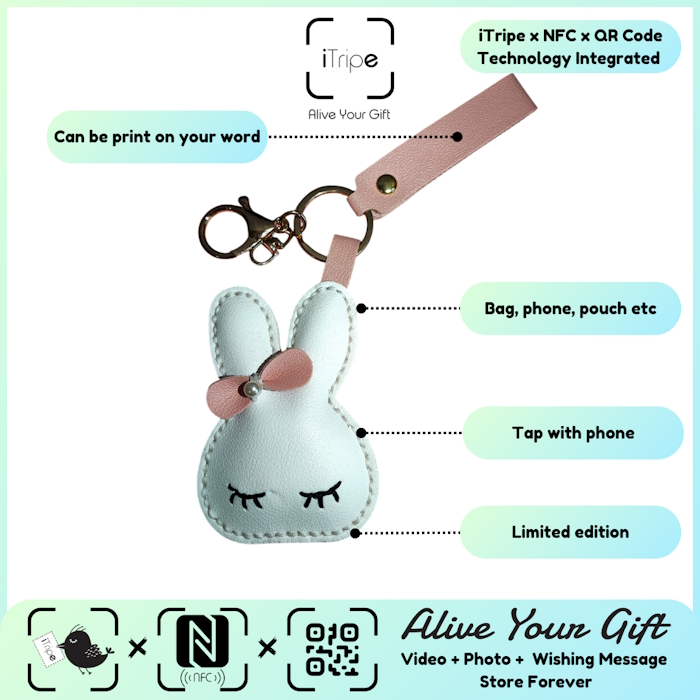
A personalised souvenir gift starts with a simple question: what would make this person smile? With iTripe, you can pair a physical keepsake with a personal message, photo and video. The result feels more considered when those elements tell one clear story.
You do not need professional editing skills or a perfect speech. A warm, specific memory is a better starting point than trying to make something impressive.
Step 1: pick one moment or message
Choose the reason for the gift before selecting your media. Are you thanking someone, celebrating a birthday, remembering a trip or telling a friend that you miss them? Keeping one purpose in mind makes the rest of the preparation easier.
For example, a gift for a parent might centre on a family holiday. A gift for a friend might recall the place where you first met. A gift for your partner could celebrate an ordinary day that became unexpectedly special.
Step 2: write something only you would say
A useful message has three parts: the memory, why it matters, and a wish for the recipient. Here is an example you can adapt:
"I still remember how we got lost looking for that little cafe and ended up finding our favourite street. Thank you for making every journey feel like an adventure. Here is to the next one together."
Use your own details rather than copying a greeting word for word. A nickname, a familiar place or a small shared joke can make a short message feel unmistakably yours.
Step 3: choose a photo with a clear connection
Pick a photo that supports your message. It could show the people involved, a place you mention or a moment the recipient will immediately remember. A meaningful everyday photograph can work better than a beautiful image with no personal connection.
Open the original file before uploading. Check that you have selected the right image, that the important details are visible, and that the people pictured would be comfortable with it being shared.
Step 4: record a short, natural video
Find a quiet place and speak directly to the recipient. Say their name, share your wish, and keep it focused. Watch the recording back to check that your voice is clear and that the clip says what you intended.
If you feel camera-shy, start with one sentence you would normally say to that person. You do not need to perform; the value is hearing from you.
Step 5: review before activation
- Check the recipient's name and every required field.
- Read the message for spelling mistakes or missing words.
- Confirm that the correct photo and video are selected.
- Keep your own copies of the original files.
- Follow the unlock-code instructions only when everything is ready.
The current iTripe activation guidance says that content cannot be changed once the gift is activated. Take this final review seriously, especially when preparing several gifts at once.
Make the first scan part of the surprise
Wrap the souvenir with a simple note: "There is a memory waiting for you. Scan the QR code or tap NFC to open it." This gives the recipient a clear next step without revealing the whole surprise.
Choose your iTripe gift, then use the activation guide and videos when you are ready to personalise it.

