QR Code or NFC Souvenir: How Recipients Open the Memory
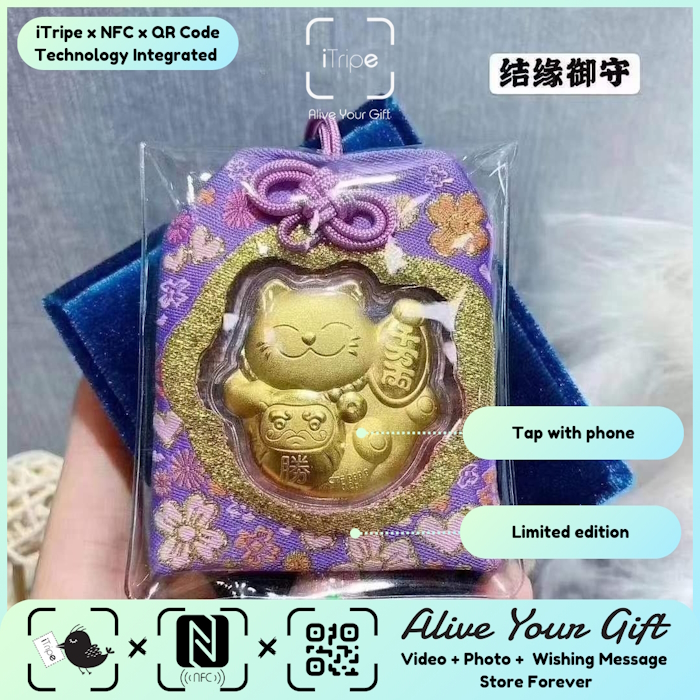
A useful starting point for NFC souvenir is to focus on the recipient and the memory you want to share.
A connected souvenir should be easy to discover. If your iTripe gift offers a QR code and NFC feature, the recipient can use the method that is convenient for their phone and the item.
Opening a memory with the QR code
The recipient can use their phone camera or QR scanning feature to scan the code on the gift. They should see a link or prompt to open the associated page. The exact on-screen steps can vary by device.
Make sure the code is visible and not covered. If the phone does not recognize it, improve the lighting, hold the camera steady and move slightly closer or farther away.
Opening a memory with NFC
NFC lets a compatible phone read a nearby tag. The scanning area differs between phone models, so the recipient may need to move the top or back of the phone near the NFC point.
If tapping does not work, check that NFC is available and enabled on the device, then try the QR code as an alternative. Follow the phone maker’s instructions for device-specific settings.
Explain the options when you give the gift
A short note can remove uncertainty: “Scan the QR code with your phone camera, or tap your phone near the NFC point to open your message.” This is especially helpful if the recipient has not seen a connected keepsake before.
If neither method opens the gift, ask the recipient not to share the unlock code publicly. Use the official support contact on the iTripe site for help.
A quick way to make it personal
Before wrapping the gift, prepare a small instruction card with both options and test the code yourself. Keep it concise so the recipient can try one method and then the other.
Before you choose or activate
- Check that the code is readable and the NFC area is accessible.
- Give the recipient simple scan/tap instructions.
- Try the QR option if NFC is unavailable.
- Use the official contact page if the link or activation fails.
iTripe connects a physical souvenir with a personal digital memory. Check the individual product page for current design, customization, pre-order and delivery details. The current activation guidance says content cannot be changed after activation, so review your choices carefully first.
Explore iTripe souvenirs, or see the FAQ and activation videos for help preparing a gift.

