How to Record a Short Video Greeting for a Gift
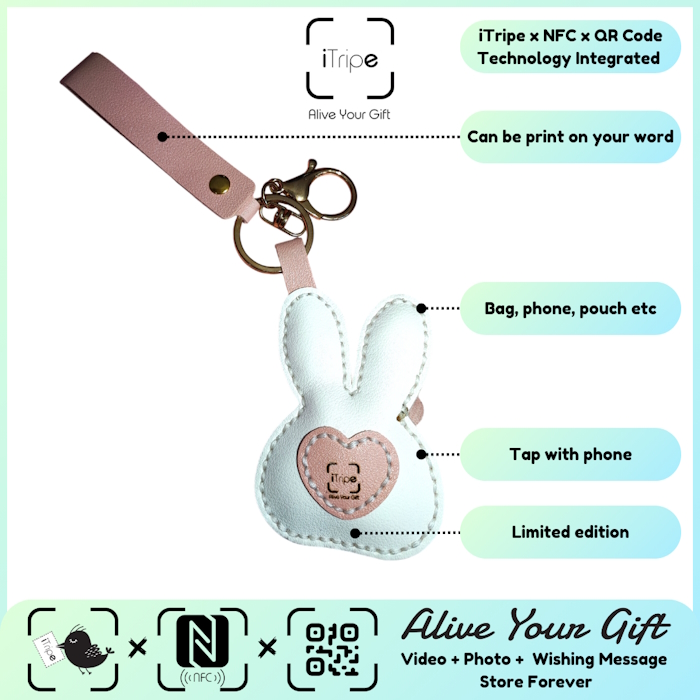
A video greeting adds tone and expression to words, but it does not need elaborate production. Clear audio and a simple structure help the recipient follow what you want to say.
A gift idea to build around
Write a few prompts rather than a full script. Find a quiet place, face a light source and make a short test recording before you record the final greeting.
Before choosing the object, ask what you want the recipient to remember when they see it. Write the answer in one sentence. That gives you a clear basis for selecting a design and deciding which photo or recording belongs with the gift. You can leave out anything that does not support that central idea.
A message you can make your own
Use this example as a starting point and change the details to match your relationship:
Hi, I wanted to tell you why I chose this gift. That day together meant a lot to me, and I hope this brings back a happy memory.
Personalise the example with a place, action or detail that really happened. Keep the words comfortable to say aloud. If you add a video, let your expression and voice carry the greeting rather than reading the written message exactly. A photo can show the scene while your words explain why you chose it.
What deserves extra care
Play the final file from beginning to end. Check the current upload requirements and avoid background music that makes your speech difficult to hear.
Connect the keepsake with the story
An iTripe gift connects a physical keepsake with a personal digital message and media through its QR or NFC feature. Check the selected product and the on-screen instructions for the available options. Prepare your content before activation so you can review the complete story without rushing.
Choose media you are comfortable sharing with the recipient and have permission to use. Play the video, inspect the photo and read the message once more before confirming. Save copies of the original files on your own device. When you present the gift, include a short explanation of how to open the attached memory.
A simple preparation checklist
- Choose a design that fits the recipient's taste and the occasion.
- Check current availability, product details and delivery options.
- Use a real memory and verify names, spelling and dates.
- Review the selected message and media before activation.
- Give the recipient time and space to enjoy the gift.
Explore iTripe gifts and choose a keepsake for your story. Visit the iTripe FAQ for current activation guidance.

